
Tue., Nov. 07 – Tue., Dec. 12, 2023
6:00PM – 8:00PM (EDT) Convert to your local time zone location: Online
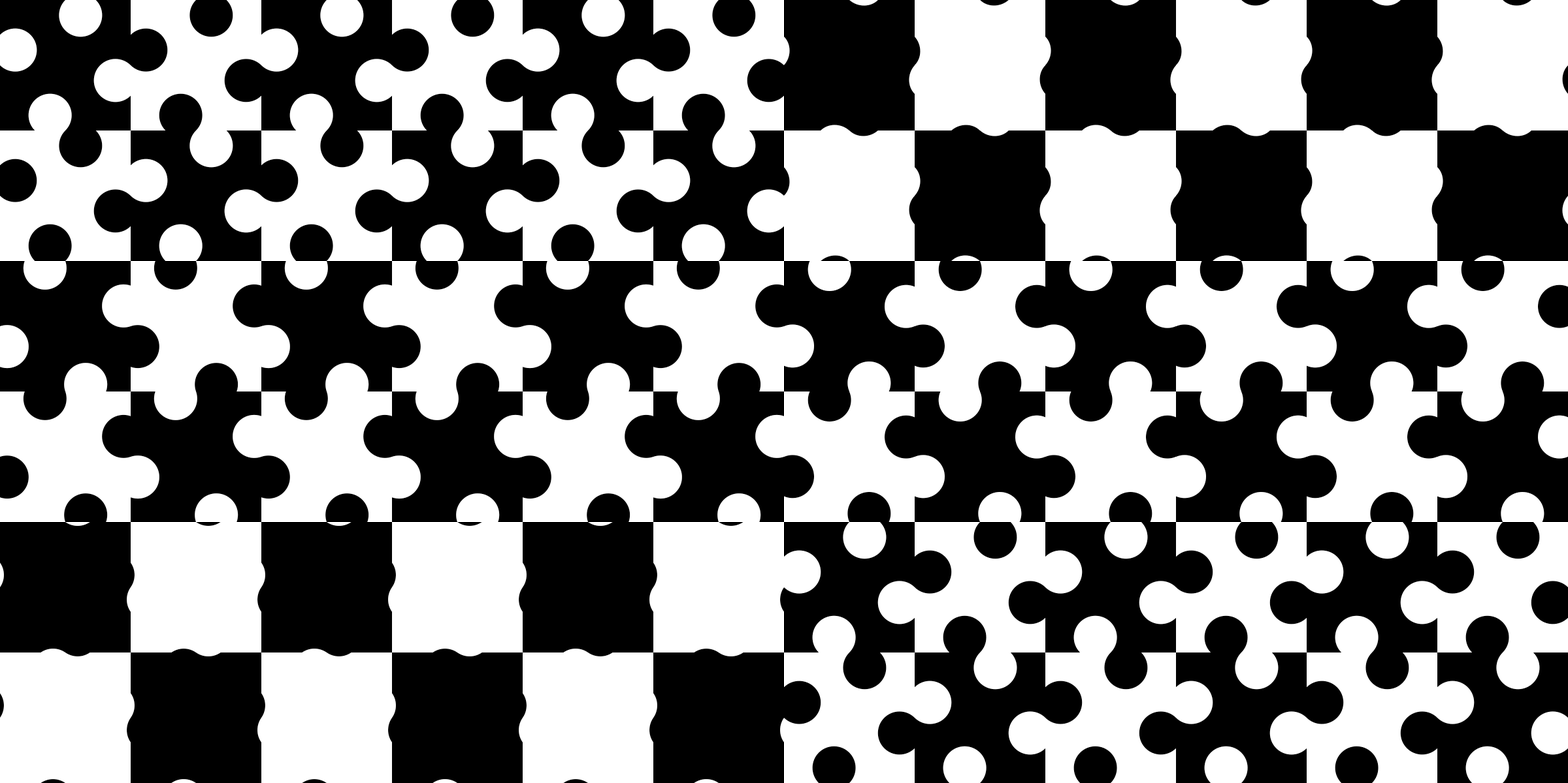
About as long as we’ve been making objects and marks, humans have also been making patterns. Many of the most fascinating patterns create for viewers the impression of movement—and of course, patterns in *actual* motion are increasingly common in today’s world of screen-based media.
Writing code is an excellent way to explore both pattern and motion, to break patterns down into design spaces and elements and instructions for how to arrange them in and with each other. You can start with a few elements and conditions—a set of shapes and colors, some simple directions and conditions—and use them to cover a virtual surface, create countless variations of them, and move through those variations. Explaining to a computer how to do all of this helps you better understand what you’re making and more quickly explore new ideas, directions, and possibilities. Small changes, even mistakes, in the code can lead to unanticipated effects and outcomes that might be even better than what you’d originally planned.
In this course, you’ll be working in the free and user-friendly application DrawBot for the Macintosh OS. You should have some previous experience writing code in Python; any introductory course or workshop (such as Type@Cooper’s Python for Visual Designers) should be sufficient. We’ll review some key Python methods and coding concepts, and introduce/review DrawBot and its library of code, in the first few weeks of the course.
Weekly course meetings will include short presentations and tutorials, code-along demos with shared sample files, and discussion/q&a sessions. There will be short exploratory exercises for you to complete between classes. Individual and group feedback, and opportunities to ask and answer questions, will be available over a shared Slack workspace where we’ll also share code and files.
You’ll learn methods for analyzing and describing patterns and creating, styling, positioning, and distributing shapes on a surface, with parameters you can adjust to alter the output. You’ll also learn different methods to animate your creations, changing the shapes, colors, sizes, and positions of their elements. You’ll use what you learn both to reconstruct/animate examples of existing patterns, and to create new ones.
Your code will produce high-quality vector art that you’ll be able to save as single images (or animation frames) in .jpg or .png formats, or as animated .gifs or .mp4 videos, for further processing in other applications. You’ll also be able to generate .svg outlines to send to pen or cutting plotters, and .pdf files for print production.
You’ll be able to use your patterns and animations for projects like surface, packaging, and environmental design, or screen displays—just to pick a few examples. You’ll be able to extend many of the methods and concepts we’ll cover in the course to other coding languages and environments, and to other drawing and animation applications. Also, if you’ve ever been interested in generative and computational design, coding patterns and animation is a great introduction. I hope you can join us!
Required Materials
Mac with MacOS v10.9 or higher
stable internet connection (for Zoom and Slack)
DrawBot application (free download)
Zoom desktop application
sketchbook for taking notes and planning
Registration for this class will open on September 1. Space is limited to 16 students to assure time for individual feedback.
Writing code is an excellent way to explore both pattern and motion, to break patterns down into design spaces and elements and instructions for how to arrange them in and with each other. You can start with a few elements and conditions—a set of shapes and colors, some simple directions and conditions—and use them to cover a virtual surface, create countless variations of them, and move through those variations. Explaining to a computer how to do all of this helps you better understand what you’re making and more quickly explore new ideas, directions, and possibilities. Small changes, even mistakes, in the code can lead to unanticipated effects and outcomes that might be even better than what you’d originally planned.
In this course, you’ll be working in the free and user-friendly application DrawBot for the Macintosh OS. You should have some previous experience writing code in Python; any introductory course or workshop (such as Type@Cooper’s Python for Visual Designers) should be sufficient. We’ll review some key Python methods and coding concepts, and introduce/review DrawBot and its library of code, in the first few weeks of the course.
Weekly course meetings will include short presentations and tutorials, code-along demos with shared sample files, and discussion/q&a sessions. There will be short exploratory exercises for you to complete between classes. Individual and group feedback, and opportunities to ask and answer questions, will be available over a shared Slack workspace where we’ll also share code and files.
You’ll learn methods for analyzing and describing patterns and creating, styling, positioning, and distributing shapes on a surface, with parameters you can adjust to alter the output. You’ll also learn different methods to animate your creations, changing the shapes, colors, sizes, and positions of their elements. You’ll use what you learn both to reconstruct/animate examples of existing patterns, and to create new ones.
Your code will produce high-quality vector art that you’ll be able to save as single images (or animation frames) in .jpg or .png formats, or as animated .gifs or .mp4 videos, for further processing in other applications. You’ll also be able to generate .svg outlines to send to pen or cutting plotters, and .pdf files for print production.
You’ll be able to use your patterns and animations for projects like surface, packaging, and environmental design, or screen displays—just to pick a few examples. You’ll be able to extend many of the methods and concepts we’ll cover in the course to other coding languages and environments, and to other drawing and animation applications. Also, if you’ve ever been interested in generative and computational design, coding patterns and animation is a great introduction. I hope you can join us!
Required Materials
Registration for this class will open on September 1. Space is limited to 16 students to assure time for individual feedback.
Instructor:
Maurice Meilleur
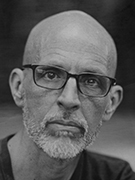
Maurice Meilleur is a recovering political theorist turned graphic designer and design researcher and writer. He completed a PhD in political theory from Indiana University Bloomington in 2004, and earned his MFA in graphic design from the University of Illinois at Urbana-Champaign in 2015. He’s an assistant professor of graphic design at Iowa State University in Ames, Iowa, where he teaches and studies typography and generative design. He has contributed numerous type and book reviews to Typographica and Fonts in Use. He’s writing a book on Jurriaan Schrofer’s constructed scripts, and he’s presented his research at Robothon, ATypI, TypeCon, the Cooper Union, and the Letterform Archive. His experimental modular typeface, Kast, was a jury finalist in the Society of Typographic Aficionados’s 2016 protoType competition. Maurice explores digital drawing and animation using Python and Drawbot as part of a larger investigation into typographic representation and algorithmically-defined formal systems.
• Maurice Meilleur
• Maurice Meilleur